Graduation day marks an ending...but it doesn't have to mean the end of their account. Here's how to move graduates across the stage and into your alumni community without missing a step.
Student accounts are usually managed through an LDAP directory or SSO provider managed by the university's IT department. The moment a student crosses the stage, that institutional access begins its countdown to expiry. Without intervention, their login simply stops working.
A proactive transition process is your equivalent of the alumni handshake: it says, "you belong here beyond graduation."
Empty space, drag to resize
Option 1: Turn off the LDAP/SSO sign in and create a local login
This option is entirely an admin-side operation. The graduate doesn't need to do anything until you give them their new credentials.
Step 1
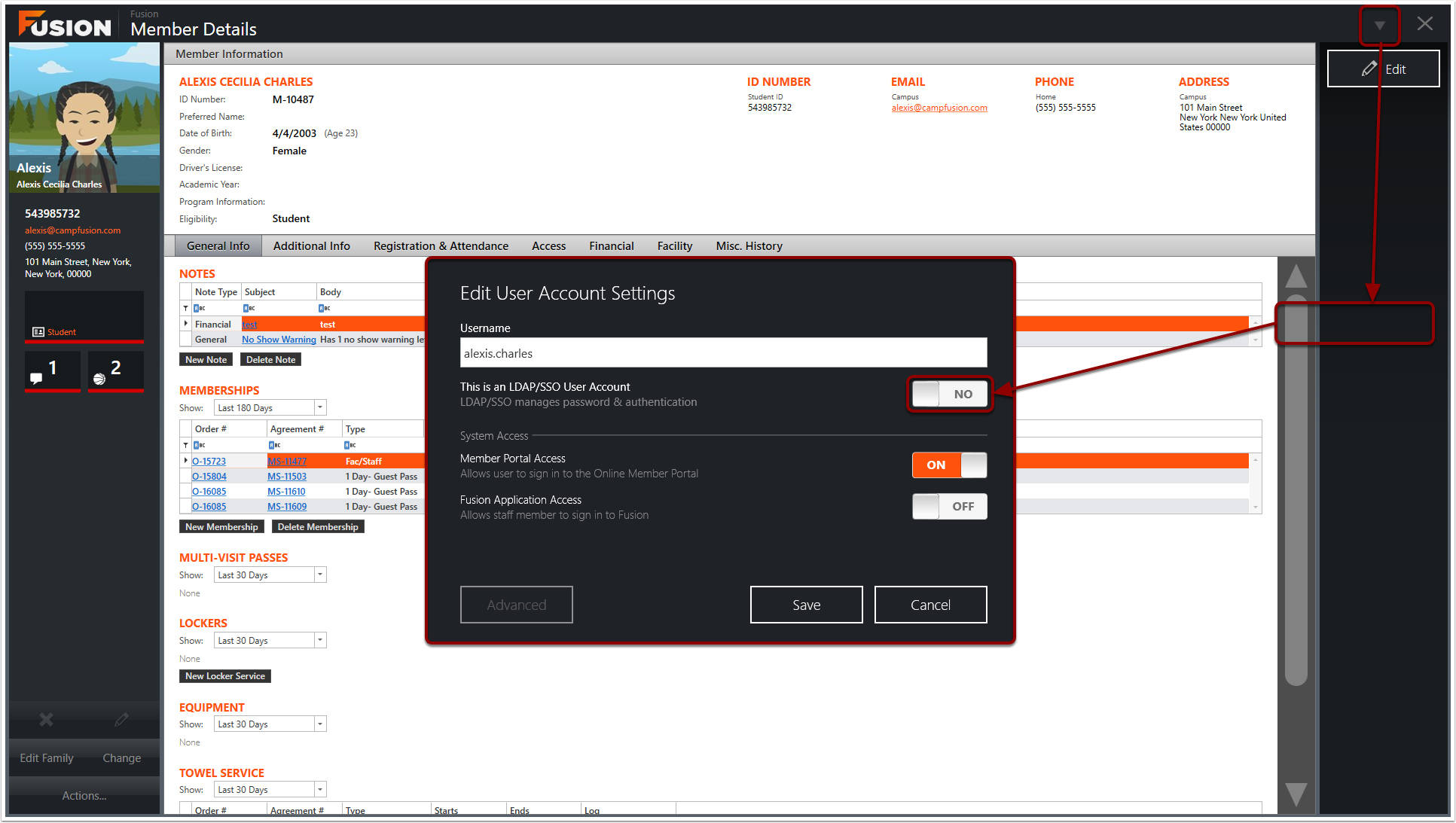
Navigate to the user's account settings and toggle off LDAP/SSO authentication. This decouples the account from the institution's identity provider before their university credentials expire. The account itself (history, preferences, records) stays completely intact.
Step 2
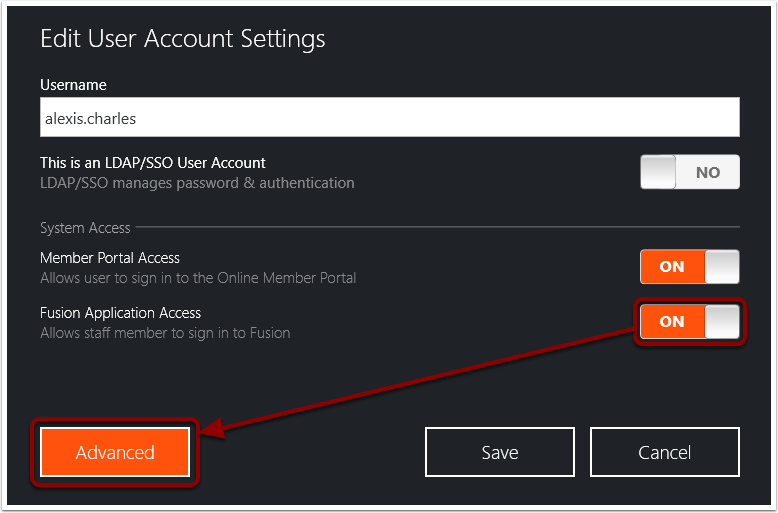
Toggle Fusion application access on. This temporarily opens the option to assign a password. Click Advanced.
Step 3
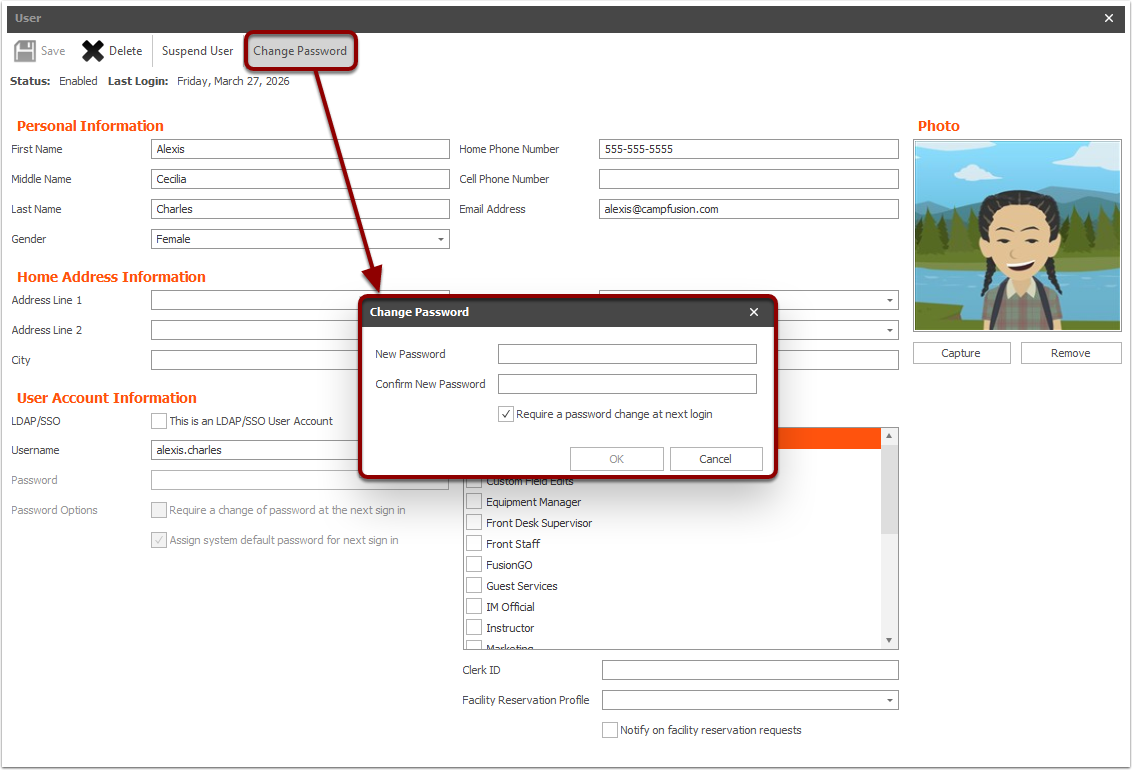
Set a local password on the graduate's behalf. Securely share this password with the graduate so they can log in. Please note you can also require a password change at the next login.
Step 4
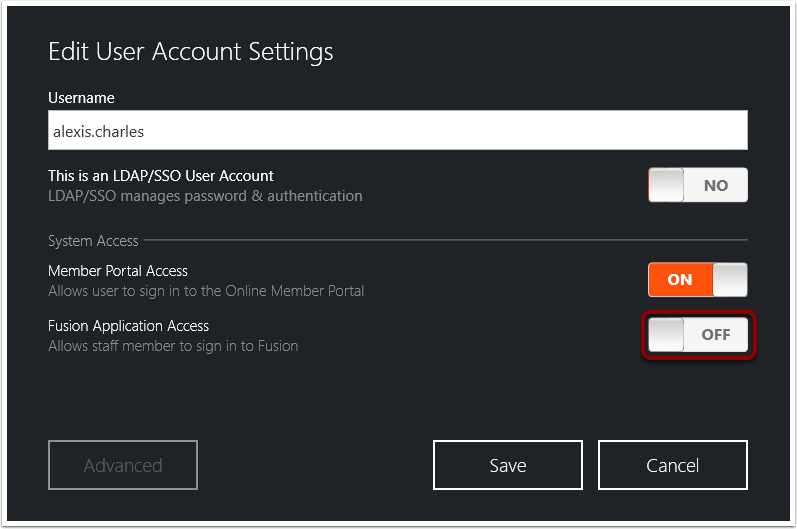
Once the password is set, disable Fusion application access. The account now authenticates via local login only.
Option 2: Have the graduate make a new account and merge them
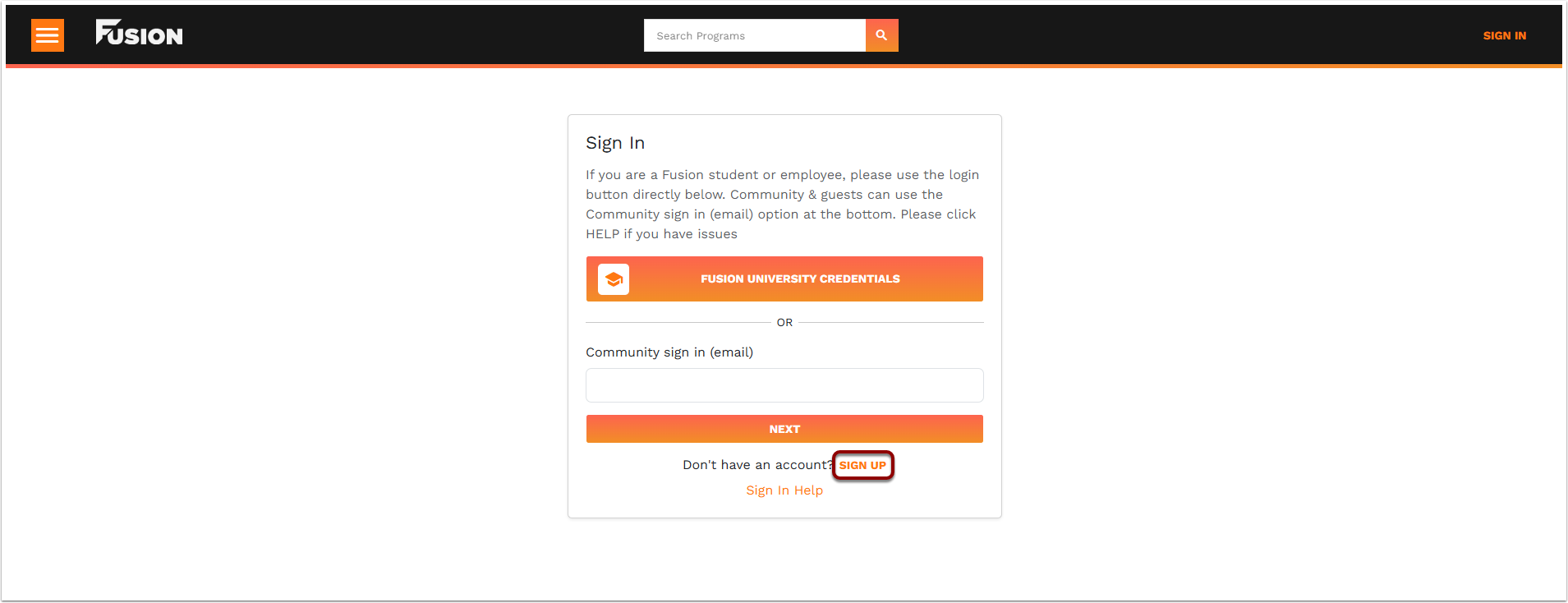
In this path, the graduate self-registers a new local account using a personal email. An admin can then merge the old LDAP-linked profile into the new one, designating the new profile as the master record.
Step 1
The graduate self-registers using a personal (non-institutional) email address, creating a new local profile with its own login credentials.
Step 2
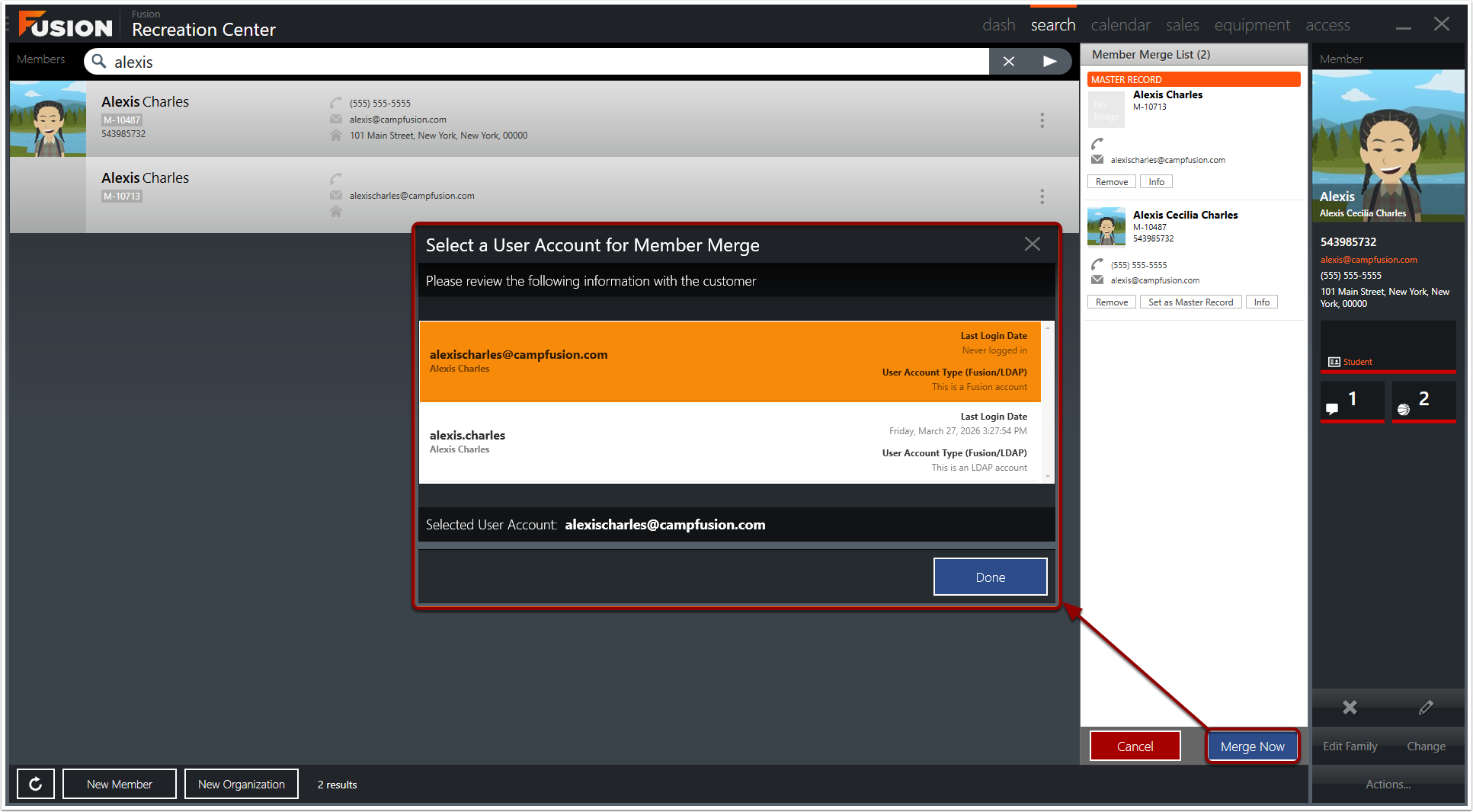
Find the original LDAP-linked profile and the newly created local profile in the admin panel. Confirm both belong to the same person before proceeding and merge those accounts together. Designate the new local profile as the master during the merge. The master record is where login credentials are sourced from. This makes the local account the active login going forward.
Send graduates an email a few weeks before SSO is disabled so the transition feels like a celebration, not a lockout. Let them know the process moving forward.
Collect personal emails early
If you are using option 1, prompt students to add a personal email before graduation day so they will receive updates to their personal email after graduation.
Use an import to batch-update eligibility
If your university can provide a list of graduates with first name, last name, and ID number, you can flip eligibility from "student" to "alumni" in bulk. No manual one-by-one updates needed.